


Enterprise AI Implementation: From Process Mapping and Data Governance to Launch
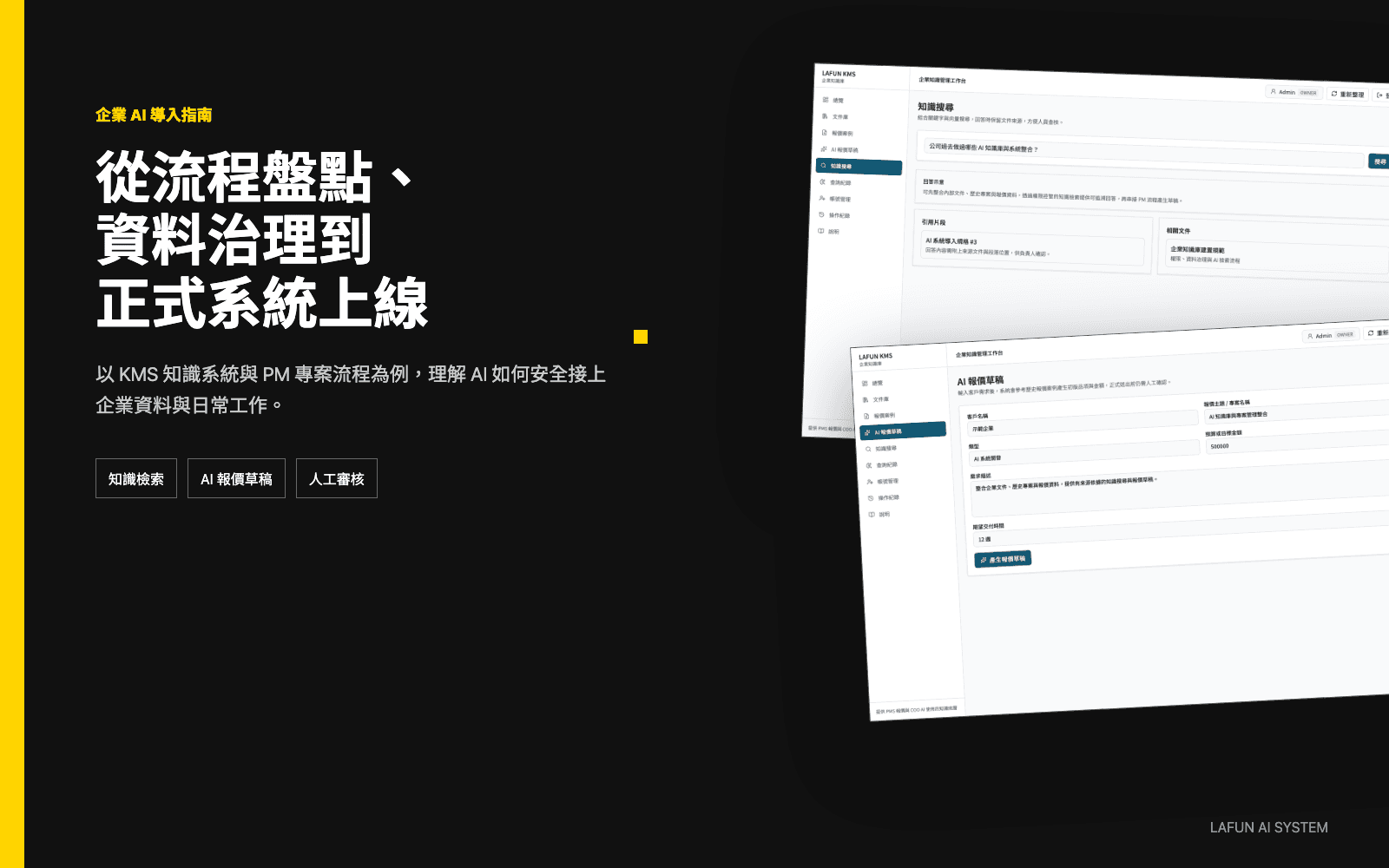
When enterprises start evaluating AI, the most common question is “Which model to choose?” However, what really determines if a project can go live is usually not the model name but whether the processes are clear, data can be used securely, outputs can be verified, and the system can integrate with existing workflows. AI implementation is not just buying a chat tool but redesigning how people, data, and systems work together to complete tasks.
Conclusion first: Enterprise AI implementation must address four levels simultaneously
- Business objectives: Which process needs improvement, and what are the current costs, time, and error rates?
- Data and permissions: What content can AI access, and what can different roles see?
- Application and integration: How do inputs, models, tools, human review, and existing systems connect?
- Governance and maintenance: How to test quality, log operations, control costs, and handle exceptions?
AI implementation is not just opening ChatGPT to all employees
General chat tools suit personal brainstorming and ad hoc tasks, but enterprise processes usually require account permissions, internal data, fixed output formats, approval checkpoints, operation records, and system integration. If employees repeatedly copy data into chat windows and manually organize results, managing efficiency and risk becomes difficult. Formal applications should embed AI into existing processes instead of letting everyone invent their own usage methods.
Which tasks are suitable for priority AI implementation?
Suitable first applications typically have high frequency; large amounts of text or image data; currently require extensive manual interpretation; and outputs can be verified by people or rules. Conversely, if the process is not standardized, data quality is poor, or errors have unacceptable consequences, processes and governance should be improved before deciding to use AI.
- Internal knowledge queries: Find sourced answers from documents, regulations, and historical cases.
- Content workflows: Generate article drafts, summaries, SEO suggestions, and image prompts for editorial review.
- Customer service and inquiry handling: Classify requests, organize key points, suggest replies while retaining human confirmation.
- Documents and reports: Extract fields, compare versions, consolidate meetings, and produce fixed-format drafts.
- Image and creative assistance: Generate concept drafts, material variants, and campaign visual directions, retaining brand approval.
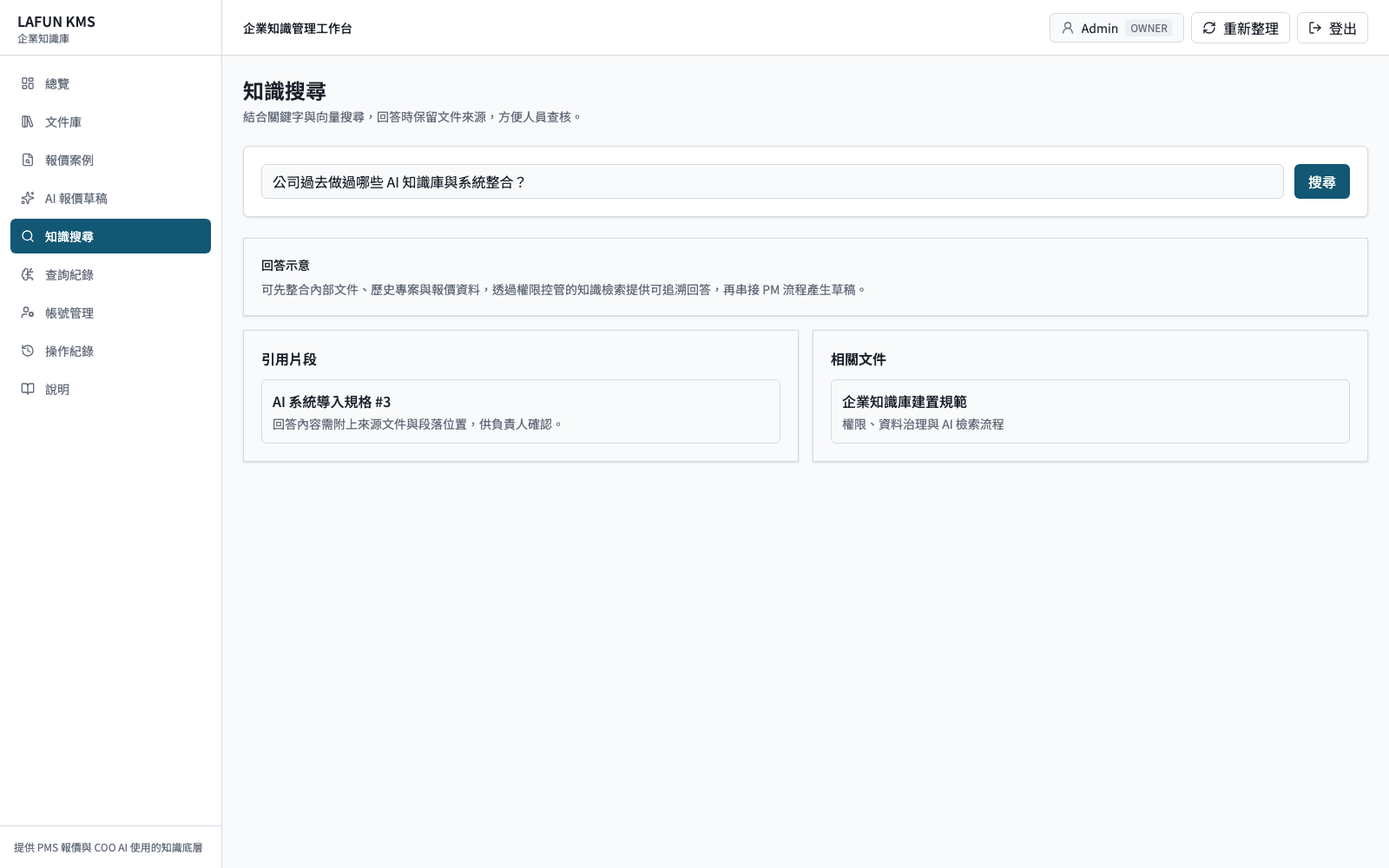
Seven steps from requirements to official launch
Step 1: Define business problem and metrics
Don’t just write “Implement AI to improve efficiency”; describe concrete tasks: who, in what scenario, using which data, spending how much time to produce what results. Record current processing time, labor costs, error types, and wait times first to judge whether implementation truly improves.
- Poor example: Create a company AI assistant.
- Better example: Enable sales to find source-cited specification answers from approved product documents within two minutes, reducing inquiries to technical personnel.
Step 2: Map current processes and data flows
List where data comes from, who handles it, which systems it passes through, which points require approval, and where results are stored. This step reveals real bottlenecks and uncovers personal data, customer information, contracts, confidential content, and cross-department permissions. Without data inventory, properly designing AI permissions is difficult.
Step 3: Choose SaaS, API, or custom system
For a single department, low risk, and processes near standard functions, SaaS can be used initially; when integrating AI into websites, CMS, CRM, or internal systems, model APIs are commonly used; if multiple role permissions, dedicated interfaces, internal knowledge, approval workflows, and multi-system integration are involved, custom applications are required. The choice is not about which is more advanced but which meets process, governance, and maintenance requirements.
- SaaS: Quick to activate, but process and data control are limited by product features.
- Model API: Can integrate with existing products but still requires building permissions, prompts, validation, and monitoring independently.
- Custom AI System: Designed according to organizational processes, with more complete development and maintenance responsibility.
Step 4: Design Data Retrieval and Source Display
Enterprise knowledge assistants should not just require the model to "remember company data." A common approach is first to search relevant documents based on user permissions, then provide necessary content to the model for answering while displaying citation sources. This retrieval-augmented generation process reduces unsupported answers but still needs to handle document versions, segmentation methods, permission synchronization, expired content, and responses when no data is found.
Step 5: Establish Evaluation Data and Manual Review
AI outputs are variable and cannot be judged solely by a few seemingly successful examples. Before launch, representative test data reflecting real work should be prepared, including normal cases, ambiguous questions, missing data, malicious input, and insufficient permissions. Define correctness, completeness, citation quality, format, and rejection criteria. High-impact outputs must retain manual confirmation.
Step 6: Incorporate Security and Permissions into System Design
Generative AI applications must address risks beyond traditional website security, including prompt injection, sensitive information leakage, unsafe output, and over-authorization. Text, HTML, SQL, or tool parameters generated by models should never be trusted directly; systems must verify outputs, restrict executable actions, and uphold existing user permissions rather than granting AI full data access.
- Only transmit data necessary to complete the task; mask or exclude sensitive fields first.
- Search results must be filtered according to the current logged-in user's permissions.
- All tool calls must use whitelisting, parameter validation, and least privilege.
- Require users to reconfirm before performing important operations.
- Keep necessary records including requests, model versions, results, and manual modifications.
Step 7: Phased Rollout and Continuous Monitoring
Testing prototypes can validate direction, but official systems still need login and permissions, error handling, usage limits, cost alerts, operation logs, content versioning, backup, and rollback. It is recommended to start with a small group of users testing in real workflows, collecting failure cases, then gradually expand, rather than releasing company-wide immediately after a demo.
What components are usually included in an official AI system?
- User Interface: Websites, backends, chat interfaces, or operation entry points within existing systems.
- Application API: Handles login, permissions, data validation, process status, and business rules.
- Model Layer: Selects text, image, or voice models based on tasks and manages versions and parameters.
- Knowledge and Data Layer: Documents, databases, search indexes, vector retrieval, and permission information.
- Tool Integration: CRM, CMS, ERP, Email, file systems, and internal APIs.
- Governance and Observability: Logs, quality assessment, human feedback, costs, latency, and security incidents.
Practical Application: How KMS and PM Systems Collaborate
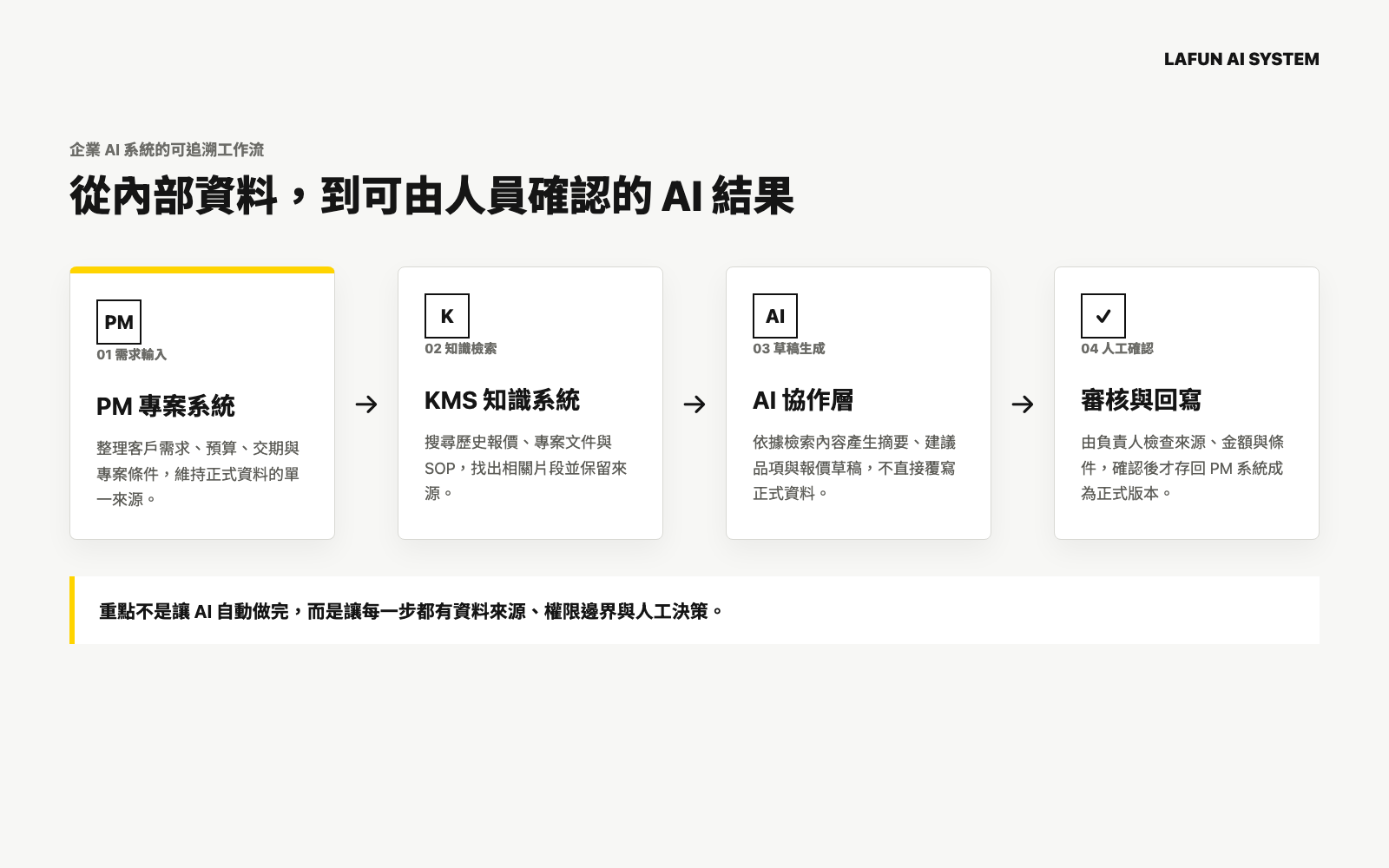
Using the enterprise knowledge system and project management system we built as an example, KMS centrally organizes internal documents, historical quotations, and project data, retaining citation snippets in query results; the PM system handles customer requirements, project conditions, and formal quotations. The two systems collaborate via controlled APIs to prevent staff from repeatedly copying internal data into external chat tools.
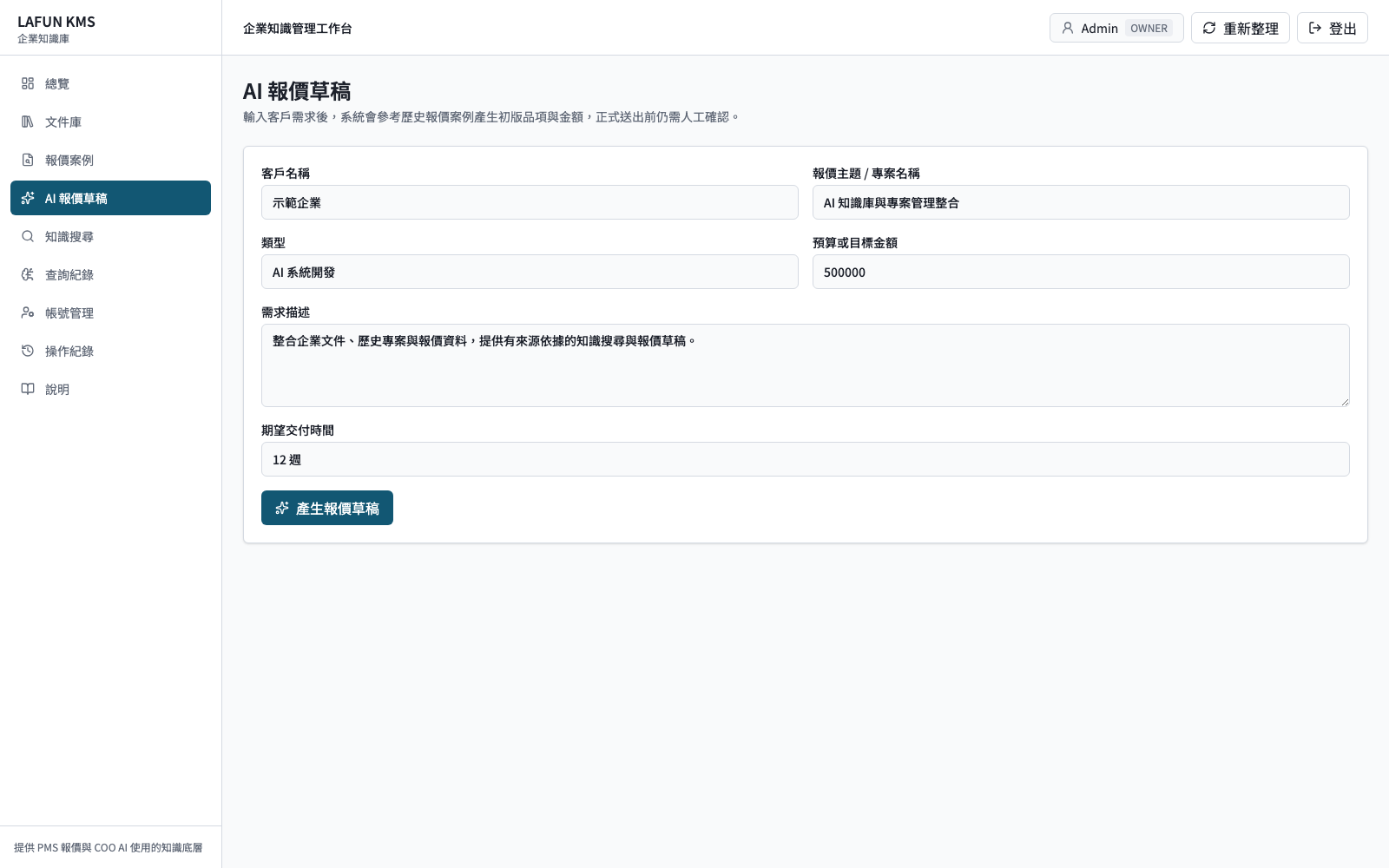
When sales establish quote requirements, the PM system sends necessary conditions to KMS, searches related cases and documents, then AI generates drafts of items, amounts, and assumptions. Drafts do not become formal quotes directly but must be reviewed, adjusted, and confirmed by responsible personnel before updating the project process. This design shortens AI’s compilation time while preserving permissions, sources, and human decisions.
Practical Application: Integrating AI into CMS Content Workflow
Using the content backend as an example, AI can read current article titles, summaries, and body text to assist in generating summaries, rewriting, SEO suggestions, and image prompts. The key is not just having another chat box, but allowing AI results to be previewed first, then editors decide which fields to apply them to; after image generation, files enter the media library, and articles still follow draft, preview, review, and publish processes. Thus, AI becomes an integrated CMS capability, not a shortcut bypassing content governance.
What Cost Items Should Be Considered When Introducing AI in Enterprises?
Model fees usually represent only part of the total cost. A complete assessment should include requirements analysis, data preparation, interface, API, permissions, legacy system integration, test data, manual review, monitoring, cloud resources, and ongoing maintenance. Comparing only per-call model fees risks underestimating the engineering and governance needed for production deployment.
- Model Usage: Input/output length, number of images, request frequency, and peak traffic.
- Data Engineering: Document organization, field cleansing, permissions synchronization, indexing, and version updates.
- System Development: Frontend and backend interfaces, APIs, workflows, notifications, and third-party integrations.
- Quality and Security: Test sets, manual evaluations, logs, monitoring, backups, and incident response.
- Operations and Maintenance: Model upgrades, prompt adjustments, content updates, user training, and performance tracking.
When Should You Not Rush to Use AI?
- When processes can be reliably completed with clear rules, AI may instead add uncertainty.
- No available data and no personnel responsible for data maintenance.
- Errors directly cause significant financial, medical, legal, or safety impacts without manual review.
- No clear success criteria defined; AI integration based solely on market trendiness.
- The organization has not yet confirmed whether data can be sent to external services and how it will be stored.
Pre-AI Project Checklist
- Write a concrete process, responsible roles, input data, and expected outputs.
- Record current processing time, costs, errors, and wait times.
- Confirm data owners, sensitivity levels, retention policies, and role permissions.
- Prepare test cases and rejection cases representing real work.
- Define which results can be used automatically and which require manual confirmation.
- Confirm responsibility boundaries among models, APIs, databases, and legacy systems.
- Plan logging, usage, cost, quality, and security monitoring.
- Arrange phased rollout, user feedback, and rollback mechanisms.
What Standards Can Be Referenced for Risk Management?
The NIST AI Risk Management Framework provides organizations a framework to manage risks during AI design, development, deployment, and evaluation; the Generative AI Profile supplements with risks specific to generative AI. OWASP Top 10 for LLM Applications summarizes common application security issues such as prompt injection, sensitive information disclosure, unsafe output handling, and excessive delegated privileges.
Frequently Asked Questions
Should I decide which model to use first?
Not recommended. First define the task, data, quality, latency, cost, and security requirements, then compare models using test data. Models can be replaced, but if process and data governance are not well designed, changing the model won’t solve the problem.
Do company data have to be used to train the model?
Not necessarily. Many enterprise knowledge applications use retrieval methods that fetch authorized document snippets only after receiving a query, without retraining the base model. Whether to fine-tune the model depends on the task, data volume, and evaluation results.
Can I go live immediately after a PoC?
No. A PoC can verify if the model can accomplish the task, but production deployment still requires completing permissions, security, error handling, monitoring, cost management, user experience, and operational procedures. A better approach is to define the production architecture and acceptance criteria during the PoC phase to avoid prototypes becoming unmaintainable systems.
Start with a measurable process
Enterprises don’t need to AI-ify all tasks at once. Choose a high-frequency, data-rich, and verifiable process; complete requirements, permissions, and performance benchmarks first, then decide on the model and system architecture. If you are evaluating knowledge assistants, content workflows, customer service classification, or AI integration with existing systems, you cancontact us to discuss the scope of implementation.